Introduction to Create's Core Mechanics and Basic Automation
This guide introduces Create's fundamental mechanics and how to achieve basic automation. Create offers tools and blocks for building, decoration, and aesthetic automation, challenging players to set up animated contraptions.
Processing Items with the Basin
A 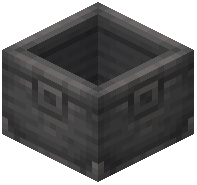 Basin can hold items and fluids for processing. After a processing step, basins attempt to output items to inventories directly below or to their sides. When a valid component is present, the Basin will display an output faucet. Items created during processing will be caught by an inventory placed directly below the Basin. If no output faucet appears, the Basin will keep the newly created items. This can be useful for re-using outputs as ingredients for further processing. If you need to retrieve specific items from the Basin that are also used as ingredients, a Filter may be necessary to prevent taking out unprocessed items.
Processing Items with the Mechanical Mixer
The 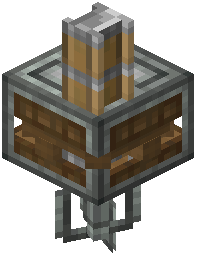 Mechanical Mixer, when combined with a Basin, can automate certain crafting recipes. This includes all shapeless crafting recipes, as well as some additional ones. Some of these recipes might require heat, which can be provided by a Blaze Burner. If two recipes have conflicting ingredients, a filter slot on the Mechanical Mixer can be used to specify the desired recipe.
Processing Items with the Mechanical Press
The 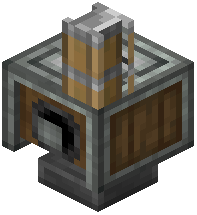 Mechanical Press processes items placed directly beneath it. Input items can be dropped onto a
 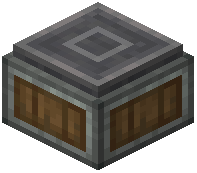 Depot positioned under the press, or placed directly on a
  Mechanical Belt. When items are on a Mechanical Belt, the Press will automatically hold and process them.
Using the Deployer
A 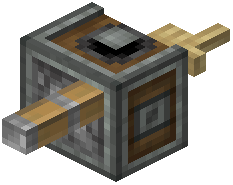 Deployer, when given rotational force, can simulate player interactions. It always interacts with the position two blocks in front of itself. Blocks directly in front of the Deployer will not obstruct its actions. Deployers can perform several actions:
- Place blocks
- Use items
- Activate blocks
- Harvest blocks
- Attack mobs
To give a Deployer an item to use, right-click its front face. Items can also be inserted into a Deployer automatically.
Transporting Items Downward via Chutes
Chutes are used to transport items vertically between inventories. A window can be created in a 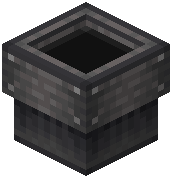 Chute using a
  Wrench. Chutes can be encased using Industrial Iron Blocks. Placing Chutes to target the side faces of another Chute will create a diagonal item transport path.
Using Mechanical Belts
Mechanical Belts are used to transport items horizontally and transmit rotational force. To connect two shafts with a Mechanical Belt, right-click both shafts with a Belt item. If you accidentally select a shaft, right-click while sneaking to cancel the selection. Additional shafts can be added along an existing Belt. Shafts connected by Belts will rotate with identical speed and direction. To remove added shafts, use a Wrench. Mechanical Belts can be dyed for aesthetic customization.
Covers the mod's in-game guide topics: Processing Items in the Basin Processing Items with the Mechanical Mixer Processing Items with the Mechanical Press Using the Deployer Transporting Items downward via Chutes Using Mechanical Belts