Munitions: Shells, Propellant, Fuzes, Tracers, and Autocannon Ammo Containers
This guide explains the various munitions used in Create Big Cannons, including how to prepare and handle them for both big cannons and autocannons.
Big Cannon Munitions
Big cannon projectiles can be customized with fuzes and tracers.
Fuzing Projectiles
Fuzes are items that can be attached to certain projectiles. They allow the projectile to detonate under specific conditions. To attach a fuze, right-click the projectile head with the fuze item. Some shells are fuzed on their base instead. To remove a fuze, right-click the projectile head with an empty hand. Deployers can automate the process of attaching fuzes.
Adding Tracers to Projectiles
Tracers can be added to big cannon projectiles, similar to autocannon munitions. Unlike fuzes, tracer tips can be placed on any side of the projectile block. To remove any tracers, right-click the projectile with an empty hand. Deployers can automate the application of tracers.
Propellant and Cannon Loads
When loading a big cannon, it is important to ensure the load is both safe and effective. A cannon's material has two main factors that determine its performance and safety: minimum projectile velocity per barrel and strength.
The minimum projectile velocity per barrel indicates the amount of power a projectile needs to prevent it from getting stuck in the cannon. For instance, Cast Iron cannons have a default minimum projectile velocity equivalent to 1 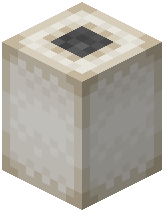 Powder Charge for every barrel the projectile travels through. This includes the barrel the projectile is initially loaded into.
The strength of a cannon determines the maximum number of Powder Charges that can be loaded safely. If this limit is exceeded, the cannon has a chance to burst when fired. For example, Cast Iron is strong enough to safely handle 2 Powder Charges. The cannon's breech can also influence its strength. Unsafe loads, such as loading too few or too many Powder Charges, can cause the cannon to fail.
Protecting Munitions
Both propellant blocks and projectiles are vulnerable to exploding from fire and other explosions. To protect these munition blocks, they can be waterlogged. However, waterlogging causes propellant blocks to become damp. Damp propellant is weaker and will not ignite if it is the first propellant block placed in a big cannon. Damp propellant must be left to dry naturally; it cannot be dried in a furnace. Propellant placed in hot environments, such as the Nether, will dry instantly.
Autocannon Munitions
Autocannon munitions are managed using the 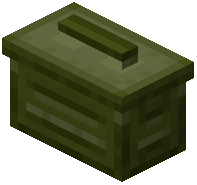 Autocannon Ammo Container.
Filling the Autocannon Ammo Container
The Autocannon Ammo Container can be filled by opening its inventory menu. Within this menu, you can also configure the spacing of tracers. Different types of autocannon ammo have varying capacities within the container. The container can also be filled automatically using Deployers. Ammo with tracers will go into the tracer slot, while other ammo types will go into the main slot.
Using the Autocannon Ammo Container
The Autocannon Ammo Container provides a convenient way to store autocannon ammunition and load autocannons. To load an autocannon, right-click an Autocannon Breech with a filled container. To remove a container, right-click the breech with an empty hand. You can also swap out a container by right-clicking the breech with a different container.
When an autocannon is assembled, you can load it with a container. However, you can only remove a container from an assembled autocannon if it is empty, or by swapping it with another container, or by shift-right-clicking it.
Automating Autocannon Loading
Mechanical Arms can automate the loading of assembled autocannons with Autocannon Ammo Containers. To do this, set a 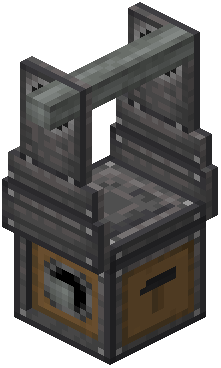 Cannon Mount with an autocannon as one of the Mechanical Arm's deposit locations. Empty containers can be disposed of by setting a deposit filter slot to an empty container.
Covers the mod's in-game guide topics: Adding tracers to big cannon projectiles Automating loading the Autocannon Ammo Container Cannon Loads Filling the Autocannon Ammo Container Fuzing Munitions Using the Autocannon Ammo Container Protecting Munitions with Waterlogging, and its Side Effects